I decided to purchase a Wii Remote to do some small gaming projects in my spare time. The Wii has been around for four years now and it usually comes with the Wii Sports game (I especially enjoyed playing the bowling game with a group of 4 players). Using a PC running GNU/Linux one can communicate with the Wii Remote using the software packages wmgui and wminput. I’ve made a small demonstration video.
The Wii Remote has a 3-axis accelerometer, an IR camera with a microcontroller producing the coordinates of the 10 brightest dots, and several buttons (arrows, A, B, -, Home, +, 1, and 2). Furthermore there are 4 LEDs and a rumble motor. The device uses the Bluetooth standard for wireless communication.
Note that more recently Nintendo started shipping the Wii MotionPlus which adds two gyroscopes for measuring the rotational speed along two axes.
You can download Battle Isle 1 (Moon of Chromos) free of charge at Abandonia and you can run it under GNU/Linux using DOSBox (update: DOSBox also runs on Windows and MacOS).
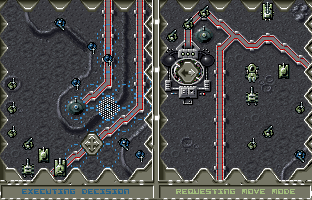
Battle Isle is a turn-based strategy game.
The game can be played against the computer as well as against another human player.
It always runs in split-screen mode.
I.e. each player specifies the moves using half of the screen.
Here’s how to run the game (under GNU/Linux) after downloading it
unzip 'Battle Isle 93 - The Moon of Chromos.zip'cd BI193
dosbox MOON.EXE -exitcd ..
First player keys
'⇦', '⇨', '⇩', and '⇧' to move the cursor
'⏎' and cursor movement to select action
Second player keys
'x', 'v', 'c', and 'd' to move the cursor
'ctrl' and cursor movement to select action
Here’s a gameplay video of the Amiga version of the game.
I finally decided to update my laptop to Kubuntu 10.04 (a distribution of GNU/Linux based on Debian). As usual I used the Live DVD to just rename the /home folder to /old, delete everything else, and mount the partitions in the advanced setup without formatting them (although like this I wasn’t able to make use of the new EXT4 file system). For new users there is an article how to do a graphical installation of Kubuntu.
KDE4 really has some nice eye candy. Also there are themes for many things and you can just download them using the configuration dialogs. Here’s a screenshot of the Kubuntu Spotlight theme I chose for the login manager.
For the boot splash animation I used the Spectrum theme.
And here is a screenshot of the desktop in action.
NetworkManager disables itself before going into standby and doesn’t come back when disconnecting power during standby mode (one needs to edit the file /var/lib/NetworkManager/NetworkManager.state). Also when using another tool such as pppoeconfig, NetworkManager will disable itself using another configuration file (one needs to edit the file /etc/NetworkManager/nm-system-settings.conf).
VoIP settings: One needs to switch everything in Twinkle to ALSA/Default.
When not terminated properly, Amarok gives the error message “Amarok is already running!” even though it is not running.
Sometimes one needs to restart Amarok because it stops playing after every song.
The Shoutcast list is not included in Amarok any more but there is an Amarok script for adding Shoutcast to Amarok.
I had to install msn-pecan because Pidgin’s default implementation for MSN has issues.
Pidgin won’t connect to ICQ unless Use clientLogin is checked in the advanced account settings.
The waste bin has become a plasma widget which is not on the desktop by default.
As usual one needs to fetch additional codecs and libdvdcss from the Medibuntu repository in order to be able to play videos using patent-encumbered codecs and DVDs.
The file associations for PDF documents are configured to prefer the proprietary Acrobat Reader over the Okular free software.
WPA2 wireless keeps disconnecting (iwl3945 driver, deauthenticating by local choice (reason=3)). Installing install the linux backports modules doesn’t seem to help either at this point in time.
The default output device for mplayer is xmga. You need to change it to xv.
One of the ALSA volume controls for the microphone seems to be mislabelled as the ‘Digital’ input.
Update:
I posted about listing manually selected packages with aptitude on the Ubuntu Forum. This is very useful for generating the command line for installing the same set of packages on a new machine (e.g. my new HP G56-108SA ;)). One can list the manually selected packages as follows:
aptitude search '!~M ~i'-F'%p'
I.e. you can run the following command on one machine:
Then you copy the resulting file install.sh to the target machine and run
sh ./install.sh
Basically !~M selects not automatically selected packages and ~i selects installed packages. See content of package aptitude-doc-en for more information.
Note that you might have to manually modify the file install.sh if the package names on the target system are different (e.g. 32-bit vs. 64-bit, other proprietary wireless driver, …).
Update:
Here’s a nice example of a dual-screen desktop running the same Kubuntu version.
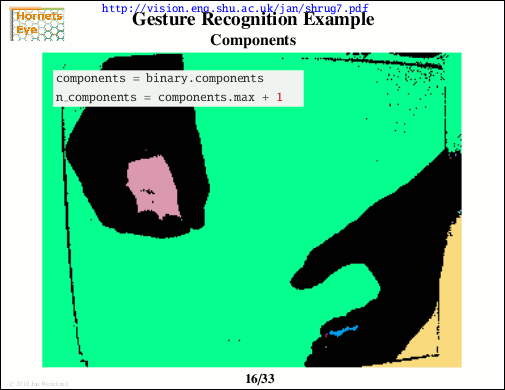
I am going to give a presentation about Hornetseye at the Sheffield Ruby User Group (ShRUG). The meeting is on Monday June 14th from 7pm to 9pm at the GIST Lab in Sheffield Workstation. For more details see corresponding page on ShRUG website. Please register here if you want to attend.
I hope people will find the GIST lab. It’s the first side entrance to the Workstation when you walk down the small alley to the right of the building (as seen from Brown street). Also see Google Streetview.
The Free Software Foundation has released a short film about software patents called Patent Absurdity. The film features interviews with Eben Moglen, Karen Sandler, Richard Stallman, Jesse Vincent, and other people involved with the Bilski case.
The Bilski case hopefully will help putting a stop to the rampant practise of patenting applications of mathematics, algorithms, and other abstract concepts to real life problems. To freely quote Bruce Perens (panel discussion at WSIS in Tunis): Mathematics is a field that is discovered - not invented!